
If you run any campaigns on automated bidding strategies, you need conversions. Ideally, a lot of them – at least 100 per month per campaign. Great, if you have that volume, not so great if you don’t.
Google bidding strategies use your conversions to learn. And this is even more important for PMax campaigns.
But there is a solution for that, so let’s dig in.
ROAS and CPA bidding
A quick refresher if you don’t know much about these two options.
ROAS (return on ad spend) bidding.
This is where you “ask” the algorithm to focus on value. You either don’t enter any targets or specify your desired return on ad spend in percentages.
Maximise conversions (CPA bidding)
People call it many names, because in some campaigns, you only have an option to select Maximise conversions and then either set a target or not. If you set a target, it becomes tCPA. Either way, here the algorithm focuses on the quantity.
Both of these work great only if you have conversions in your account. Google suggests that the minimum amount per campaign should be around 30 conversions. Because it should be enough (in theory) for the algorithm to understand what converts and optimize the campaign, sometimes it is enough. I’ve even seen people switching to ROAS bidding even without conversions at all.
However, this is more an exception than a rule. Ideally, you should get conversions before switching. And the more you get, the faster the algorithm learns.
Low number of conversions
Here’s a scenario I had. We launched several campaigns to maximize impressions. Before these categories were under one campaign, which is fine, usually, but some of the products weren’t getting any visibility. So, we decided to split them up to see if we can double down on these specific categories.
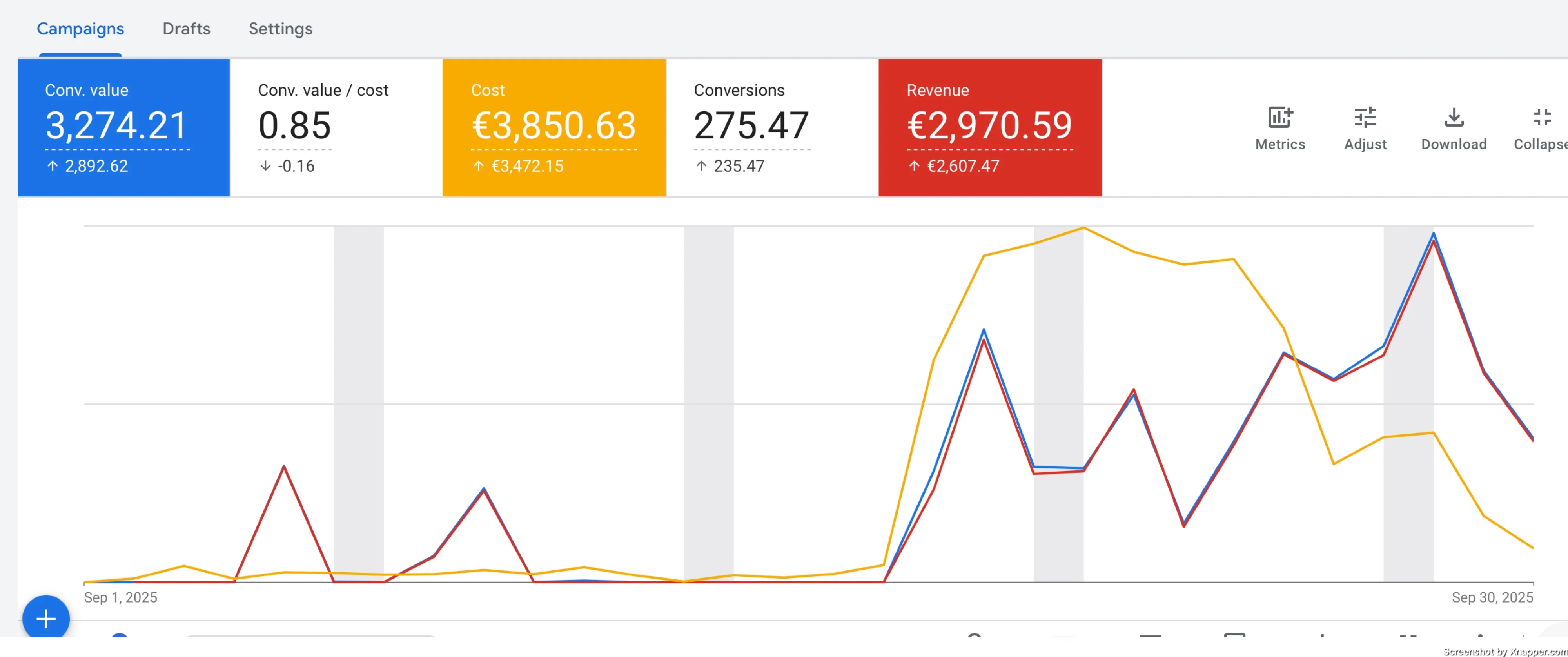
As you can see, the start was slow, then it kind of picked up. But the ROAS was bad, and we needed to do something. One of the reasons is that each campaign had some conversions from 30 to 50. And we thought maybe that would be enough. But it wasn’t.
Basically, we would have had to pause the campaigns and bring the categories back to the original campaign.
\
Portfolio bid strategy – saviour
You might know about the portfolio bid strategy. It’s often a forgotten feature, but it could work wonders, and this is exactly what happens when we use it.
You can find it under Tools.
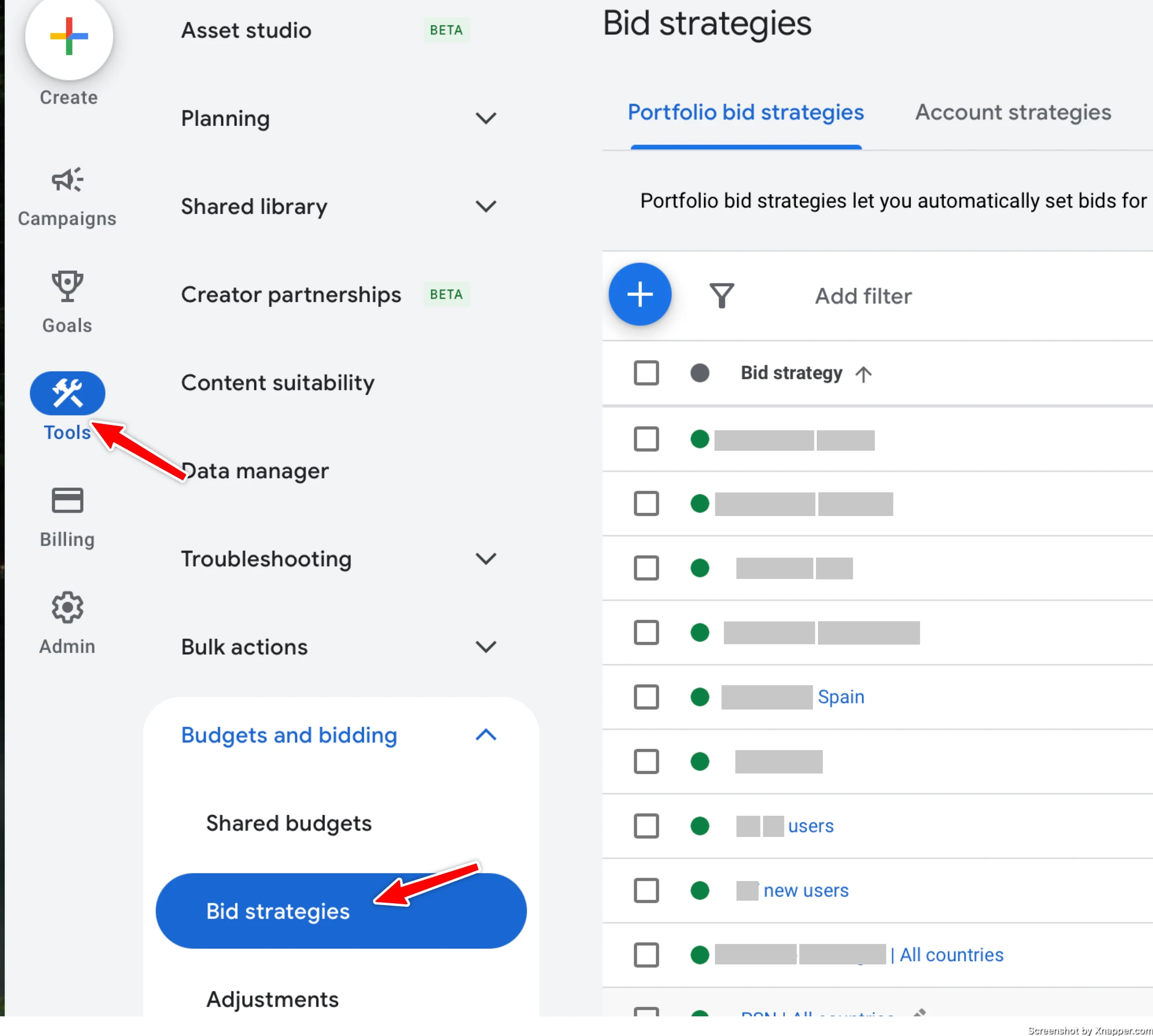
There, you can create a bid strategy that can be applied to several campaigns. It’s a straightforward process.
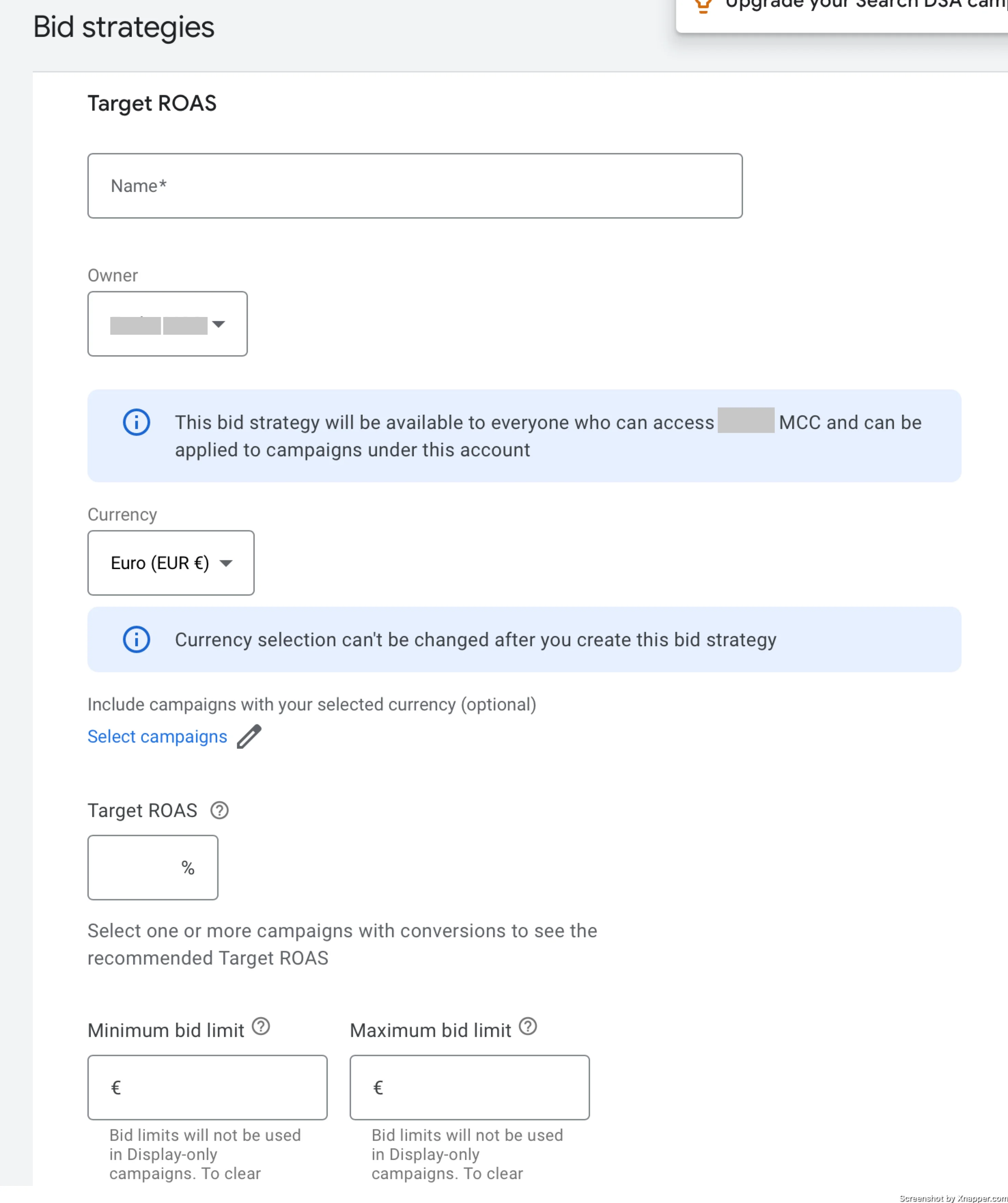
You just name it, enter the Target ROAS or whichever strategy you selected, and save it. You can apply it to campaigns here or through campaign settings. There is only one thing to mention. A huge feature is that you can specify the max CPC here, which you can’t do in the campaign if you’re using CPA or ROAS bidding strategy.
Don’t forget about it —it might save you a lot of money by filtering out those $20 clicks.
But here’s the real magic.
All the campaigns under one bidding strategy share the same conversions and learning. What it means is that when you combine similar campaigns into a single portfolio bidding strategy, they all share that knowledge. This gives the algorithm more information to work with.
The only recommendation is not to apply this strategy to very different campaigns. For example, don’t use the same strategy for clothing and toys. These are two different categories and may just confuse the algorithm.
The results?
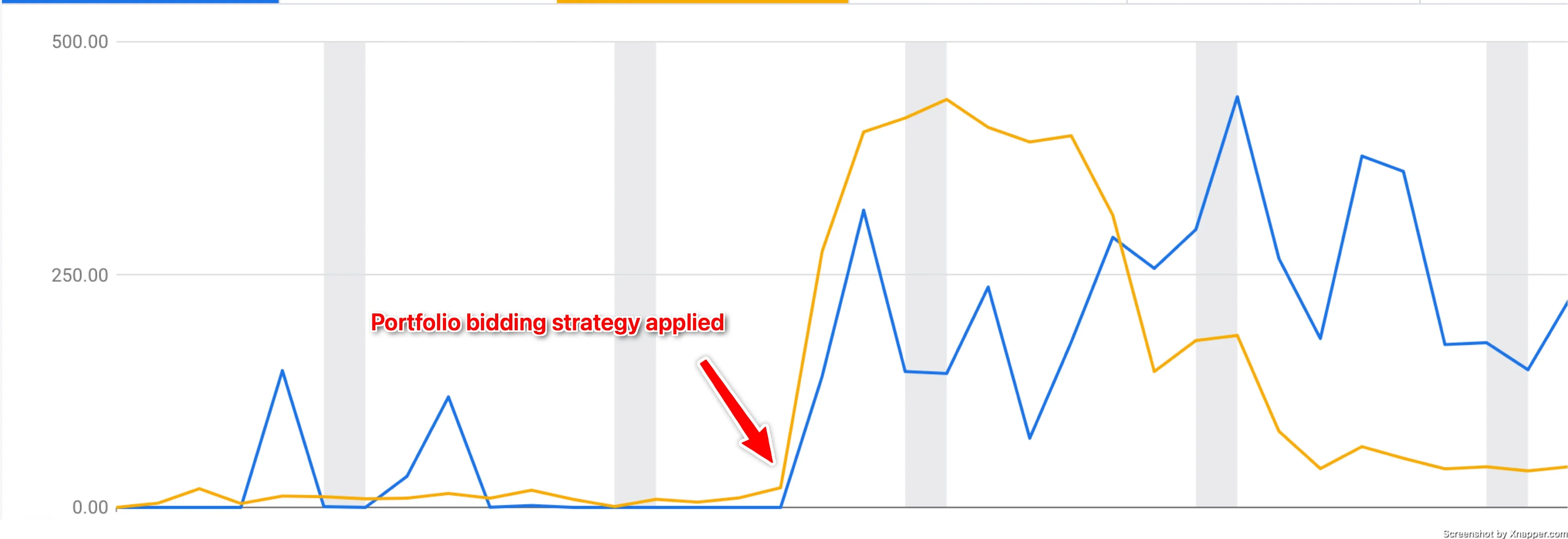
Worked like a charm. We increased conversions and revenue, along with ROAS, and decreased the cost.
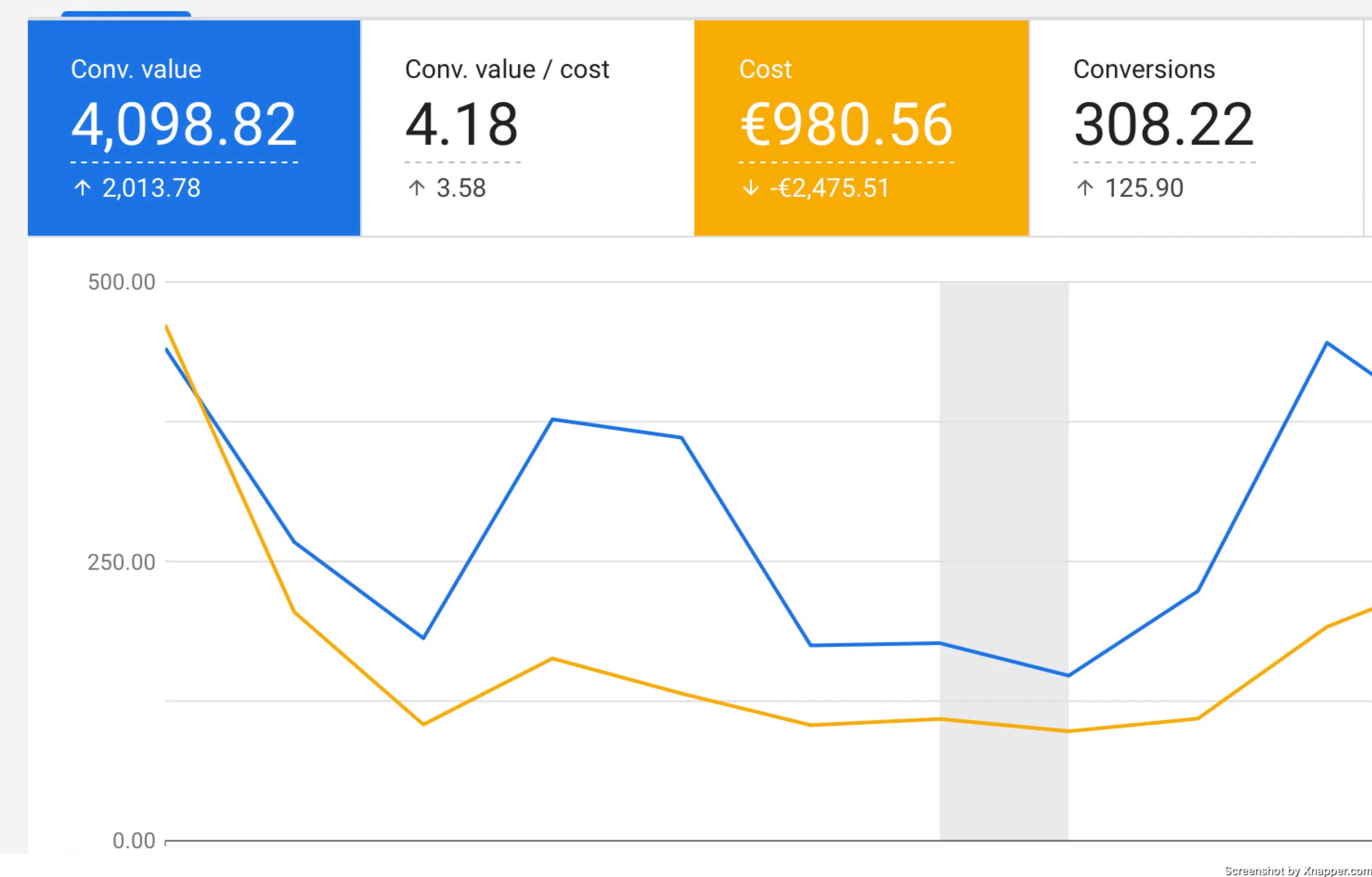
Will it work the same way for you? No idea. But if you are struggling with low-conversion-volume campaigns, try it. Obviously, this won’t work for just one campaign, as it will be just the same as your campaign-based bidding strategy.
But we’ve noticed the difference immediately.
Here you go, at least one solution for low conversion campaigns. Try it out.